

the Tango Team
November 15, 2026
1v1 Video Call: What It Is and How It Works
Everything you need to know about 1v1 video calls, from how they work to hhow to make the most of them.
Most of us have had a 1v1 video call without thinking of it that way: catching up with a friend, calling family, or meeting someone we first chatted with online. It’s simply a video conversation between two people. This guide explains how 1v1 video calls work, how to start one, what to look for in an app, and how to make the conversation feel natural.
What a 1v1 Video Call Actually Is
A 1v1 video call is a live video conversation between two people. You can see and hear each other as you talk, and nobody else is on the call.
You may see it called by other names too, like “1 on 1,” “one on one,” “1:1” or “1vs1.” They all mean the same thing, so whichever one you search for, you’ll find the same kind of call.
The real appeal is the focused attention: with just two people, it’s easier to focus on each other. You can talk and listen without waiting for a turn or speaking over a group.
How a 1v1 Call Differs From a Group Call
On paper, the difference is just the number of people. In practice, it changes the whole feel of the conversation.
In a group call, the attention is shared. A few people tend to do most of the talking, and the conversation stays fairly general. In a 1v1 call, you take turns evenly, each of you gets the other's full attention, and the conversation gets more personal. That's why group calls suit team meetings and family gatherings, while 1v1 calls suit real conversations and getting to know someone.
If you've ever felt lost in a big call, waiting for a gap to say something, you already know why people like the one-to-one format. You get to say what you want to say, and you get a real answer.
How to Start a 1v1 Video Call
The exact buttons depend on the app, but the steps are nearly always the same.
- Pick the app you want to use. If you're calling someone you know, use the one you both have already.
- Allow the app to use your camera and microphone when it asks. Without that, the call can't start.
- Choose who you want to call. With friends and family, that's a contact. With some apps, you can also be matched with someone new.
- Tap the video call button and wait for the other person to pick up.
- Say hello, check that you can hear each other and settle in.
- When you're done, say goodbye and end the call.
Which Apps Support 1v1 Video Calls
You probably already have a few on your phone. FaceTime, WhatsApp, Google Meet, Zoom, Facebook Messenger and Instagram all let you start a call with one person. They're a good fit when you want to talk to people you already know, because you start from your existing contacts.
Other apps are built for meeting people you don't know yet. Azar and OmeTV, for example, connect you with someone new for a one-to-one chat, and Tango offers 1v1 video calls alongside live streaming. These work differently from calling a friend, because you aren't starting from a contact list.
When you're choosing, a few questions help:
- Do you want to call people you know, or meet someone new?
- Is it free to start a call, and what costs extra?
- Does the app let you choose who you talk to, or does it pick for you?
- Does it work well on your phone and your connection?
If you're mostly looking for a place to meet new people, our list of the best apps for 1 on 1 video chat compares a range of them side by side.

Who Uses 1v1 Video Calls, and Why
The short answer is plenty of people, of all ages. In a 2026 YouGov survey, about one in five U.S. adults said they use video calls several times a week, and the share was higher among younger adults. Here are some of the most common reasons people reach for a one-to-one call.
Friends and Family
A video call is the next best thing to being in the same room. It's how people keep up with grandparents, siblings and friends who live far away. You see their face, you catch the little reactions and you hear what's really going on.
Long-Distance Relationships
For couples who live apart, a regular 1v1 call is often the main way to stay close. A shared meal, a film in the background or just talking about the day can make the distance feel smaller.
Learning and Practicing
People use one-to-one calls to practice a language, get help with homework or learn a skill. There's no audience, so it's easier to make mistakes and try again.
Meeting New People
Plenty of people use video calls to meet someone new. In India, for example, random video chat has become a popular way to meet people from different places.
Work and Support
Not every 1v1 call is casual. Managers, coaches, tutors and counselors use them too, because a private conversation lets people speak openly.
Are 1v1 Video Calls Free?
It depends on the app, so it's worth checking before you start.
Calling friends on apps like WhatsApp or FaceTime is usually free, apart from the data you use. Apps built for meeting new people vary more, and the best free video chat apps differ a lot in what they let you do before you pay. Some let you start a call for free and charge for extras, such as extra filters, premium features or coins you spend during a call. Others limit how long a call can last, or ask you to upgrade for more.
Before you commit, look for these things:
- Cost to start: Is the first call free, or do you need to buy something first?
- Time limits: Does the call stop after a set time, or can you talk as long as you like?
- Extras: Which features are free, and which ones cost money?
- Data: A video call uses more data than a voice call, so a Wi-Fi connection is the safest choice if your plan is limited.
What You Need for a Good Call
You don't need special gear: A phone or laptop with a working camera and microphone is enough, and most people already have both. A few small choices make the call more comfortable, though.
Headphones are the biggest upgrade: They stop echoing, keep the other person's voice clear and give you a bit more privacy. Even the earbuds that came with your phone will do.
Where you put your device matters too: Propping your phone against something at eye level is kinder to your arms, and it's far more flattering than holding it low and looking up. If you're on a laptop, lift the screen so the camera sits near your eyes.
Finally, charge your device or plug it in: Video drains a battery faster than almost anything else you do on a phone, and a call that dies halfway through is hard to recover from.
How to Make a 1v1 Call Feel Easy
A good call doesn't need to be clever. It needs to be relaxed. These small habits make a big difference.
Set up before you call: Find a quiet spot with light on your face, not behind you. A window in front of you works better than a lamp behind you.
Look at the camera now and then: It's natural to watch the other person's face on the screen, but looking at the camera for a moment makes them feel like you're looking at them.
Start with something easy: A simple "How's your day going?" is enough. You don't need a perfect opener.
Ask, then listen: One question at a time works best. When the other person answers, follow up on what they said, instead of jumping to the next topic.
Share a little too: If you only ask questions, it can feel like an interview. Tell a short story or give an opinion, so it feels like a real exchange.
Know how to end it: If the conversation isn't clicking, it's fine to say thanks and finish politely. You don't owe anyone a long call.
If you're nervous about your first call with someone new, remember that they probably are too. Most people want a friendly conversation more than a polished one.
What to Do When the Video Quality Is Poor
Few things ruin a call faster than a frozen face or a broken voice. Most problems come down to the connection, and they're usually easy to fix.
- Check your connection - Move closer to your router, or switch from mobile data to Wi-Fi if you can. Zoom's own requirements list about 1.2 Mbps for a 720p HD one-on-one call, so even a fairly modest connection can work if nothing else is using it.
- Close other apps - Streaming, downloads, and games all compete for the same bandwidth. Pause them during the call.
- Turn off your video for a moment - If the call keeps freezing, switching your camera off briefly can help the connection catch up.
- Restart the app - It's a simple step that clears up more problems than you'd expect.
- Check your light and sound - A dark room makes the picture look grainy, and a noisy room makes it hard to hear. Moving to a quieter, brighter spot often fixes both.
If your data is limited or your phone is older, a lighter app can help. Some apps offer a smaller version that uses less storage and data, like Tango Lite in India.
Keeping Your 1v1 Calls Private and Safe
A private call is only private if you take a few simple steps to keep it that way. The U.S. Federal Trade Commission's advice on staying safe while video conferencing covers the basics, and most of it applies to one-to-one calls too.
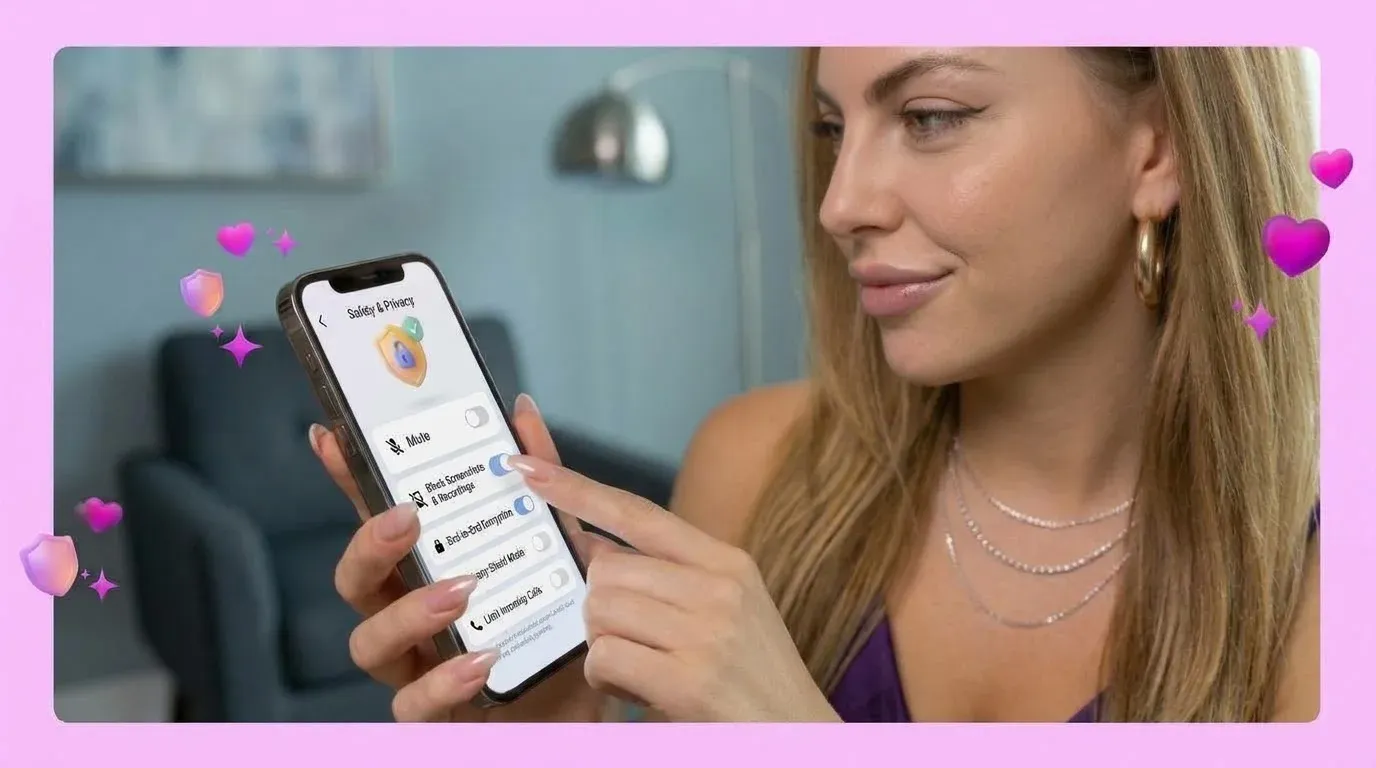
- Keep your app up to date, and only download it from the official website or app store.
- Be careful with unexpected invitations. Don't open a video call link you didn't expect. If someone you know sends one, check with them another way first.
- Check your camera and microphone settings before you join, and look at what's visible behind you.
- Assume a call could be recorded. Don't say or show anything you wouldn't want saved.
- Keep personal details private, such as your address, school, workplace or financial information, especially with someone you've just met.
- Leave if you're uncomfortable. You can end any call at any time, and you don't owe anyone an explanation.
- Use the block and report tools in the app if someone behaves badly.
When a 1v1 Call Isn't the Right Choice
A one-to-one call is great for a lot of things, but not everything. A group call is better when you need several people to take part, such as a team meeting or a family celebration. A simple message is better when you only need a quick answer, and a phone call is better when the video isn't adding anything.
It also helps to think about how you feel. If you're tired, or you don't want to be seen, a voice call or a text chat is a perfectly good alternative. A video call should feel like a choice, not a chore.
1v1 Video Call: Frequently Asked Questions
What is a 1v1 video call?
A 1v1 video call is a live video conversation between two people. You can see and hear each other in real time, and no one else is on the call.
Is 1v1 the same as 1 on 1?
Yes. "1v1," "1 on 1," "one on one" and "1:1" all describe the same thing, a call between two people. The "1v1" spelling is common in gaming.
How is a 1v1 video call different from a group video call?
A 1v1 call has only two people, so each person gets the other's full attention. A group call has three or more people, and the conversation is shared among them.
How do I start a 1v1 video call?
Open the app you want to use, allow camera and microphone access, choose who to call and tap the video call button. When the other person answers, say hello and check that you can hear each other.
Are 1v1 video calls free?
Many are free to start, especially calls to friends on apps like WhatsApp or FaceTime. Some apps charge for extras or limit how long a call can last, so check the app's details first.
Is there a time limit on a 1v1 video call?
It depends on the app. Some have no limit, and others stop the call after a set time unless you upgrade.
What apps support 1v1 video calls?
FaceTime, WhatsApp, Google Meet, Zoom, Messenger and Instagram all support them. Apps like Azar, OmeTV and Tango also offer one-to-one video chat, and people who want something similar to Omegle often compare the best Omegle alternatives.
Why are 1v1 video calls useful?
They let you have a personal conversation without distractions. People use them to stay close to friends and family, practice a language, meet new people and talk openly about things that matter.
How can I keep my 1v1 video calls private and safe?
Keep your app updated, avoid unexpected invitations and check your camera and microphone settings before you join. Keep personal details to yourself, assume a call could be recorded and end any call that makes you uncomfortable.
Ready to Start a Call?
A 1v1 video call is one of the simplest ways to feel close to someone, whether it's a friend across the world or a new face. Pick an app that suits you, set up in a good spot and start with a friendly hello. That's really all it takes.
Maybe you like
Tango Categories
It Takes U to Tango
Discover how to get more from Tango, whether you're starting a video chat, meeting new people or exploring live streams. These practical guides cover the tools, features and tips that can help you connect, interact and make the most of your experience.
You’ll also find practical guidance for creators who want to go live, engage viewers and grow their presence on Tango. Explore tips for better video chats and live streams, along with guides to viewer engagement, gifts, coins and diamonds, creator tools and building an active community.
Keep Up with Tango
Get the latest articles, product news, and community stories delivered to your inbox.